Install Crawler Agents
What is a Crawler Agent? A crawler agent is a component responsible for searching, retrieving, and extracting metadata for manga from a specific online source. It acts as a bridge between KamiYomu and manga websites, enabling you to access a wide range of content.
How to intall Crawler Agents in KamiYomu
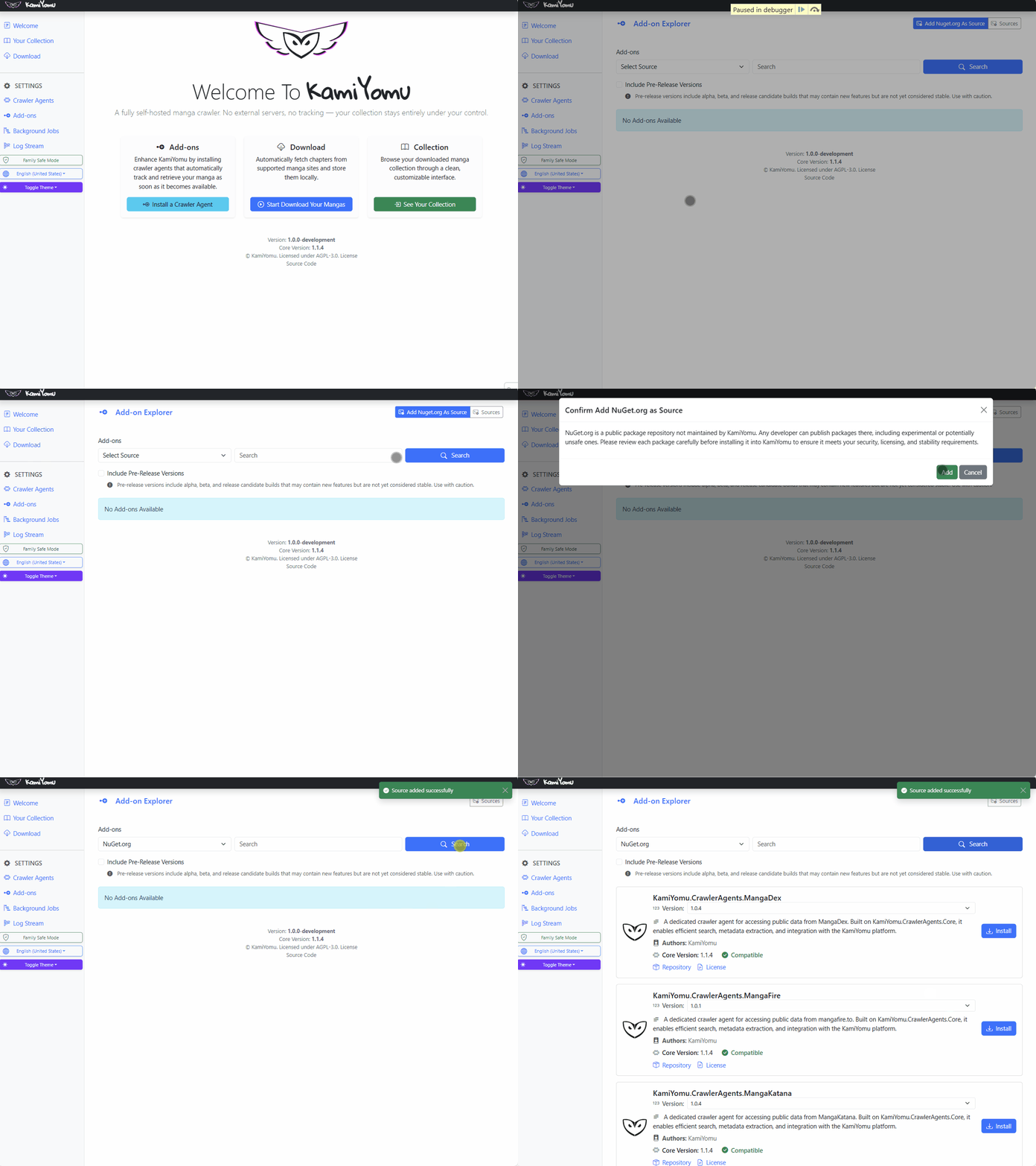
- Open the KamiYomu Web application.
- Go to the Add-ons menu.
- Setup the source for KamiYomu Add-ons if not already done:
- Navigate to Add-ons > Sources
- Click on the button “Add nuget.org as source”
- Type “KamiYomu Crawler Agent” and click on Search or just click on Search.
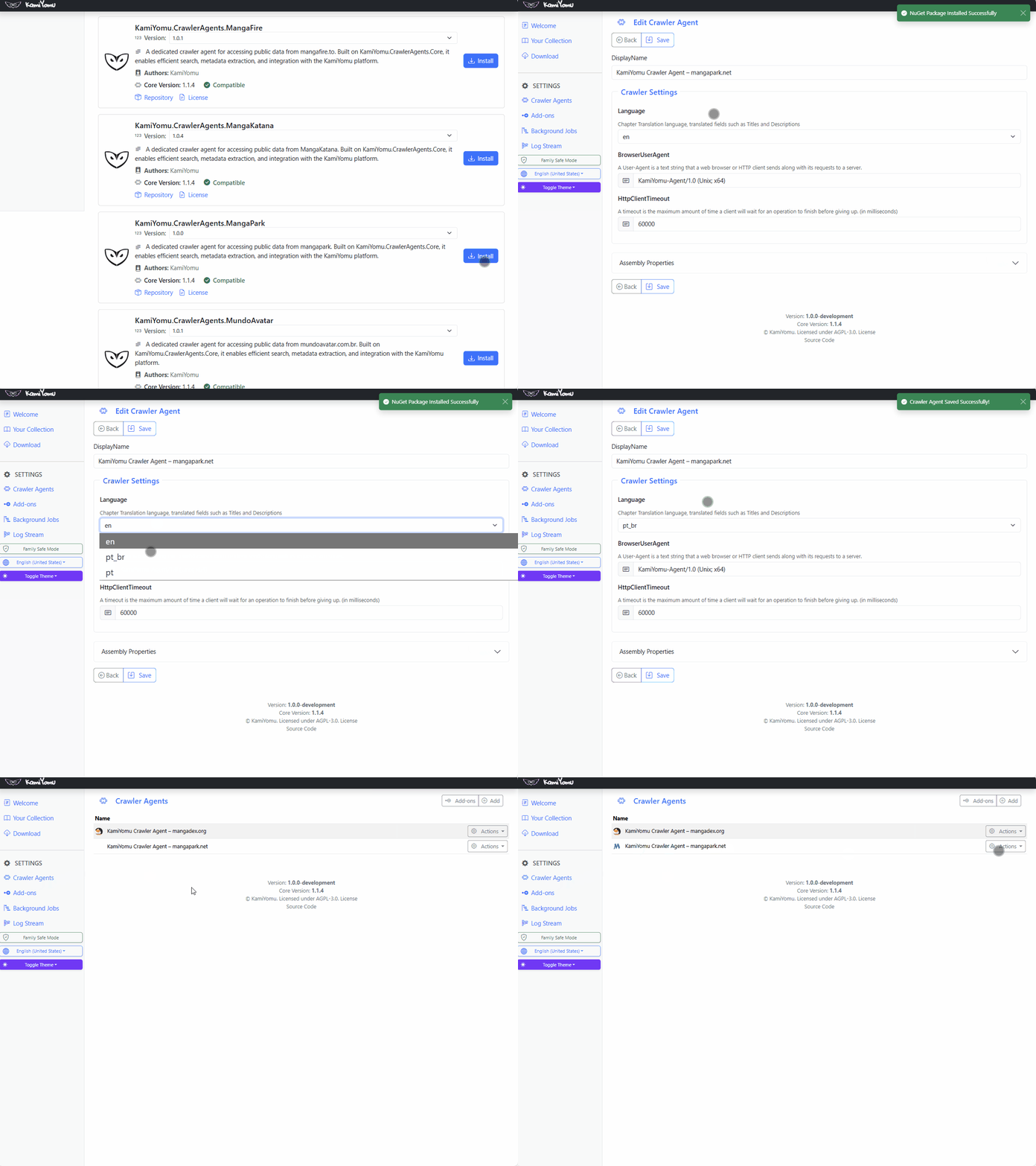
- Click on install button in your Crawler Agent desired.
- Configure the add-on in the Add-ons UI as needed.