Download Mangas
For downloading Manga, you need to Install a crawler agent in KamiYomu.
- Go to Download
- Select the installed crawler agent
- Type the name of manga, then click on search
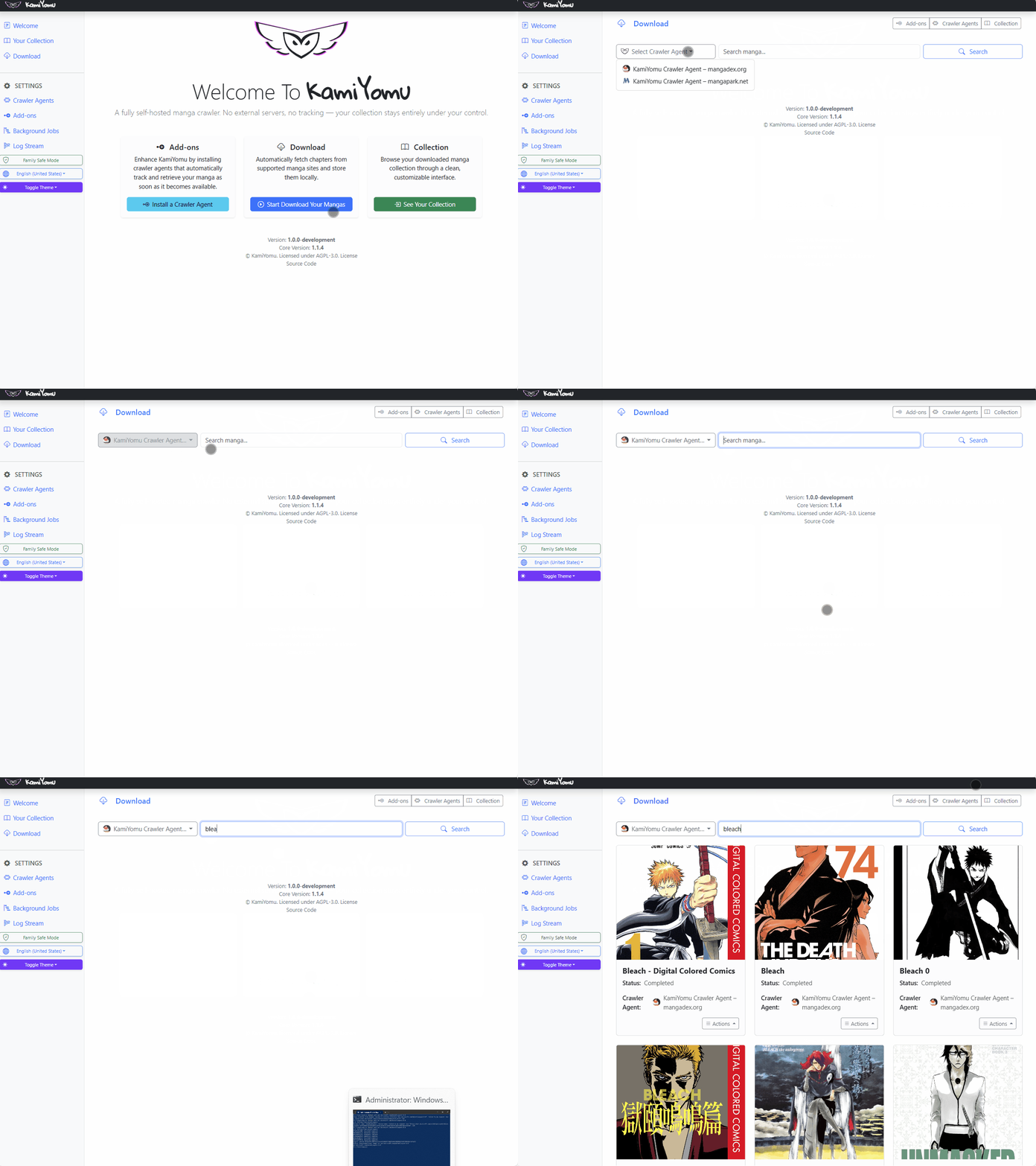
- Click on Actions
- Select “Add to your collection” (this action will start the download process)
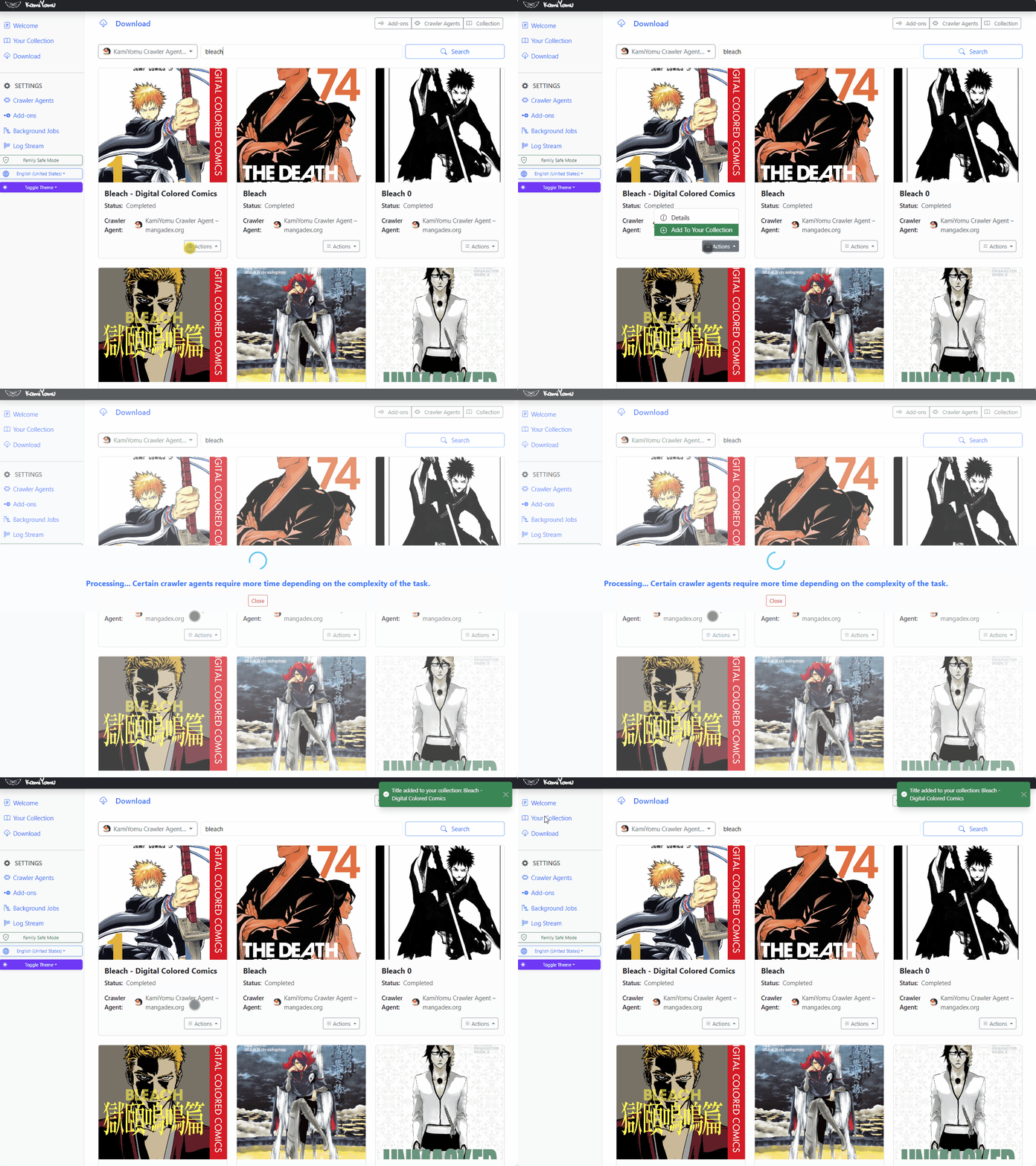
- Click on Your Collection
- On your manga that is downloaded: Click on Actions
- Click on “Download Status”
- You can see the progress of your manga download
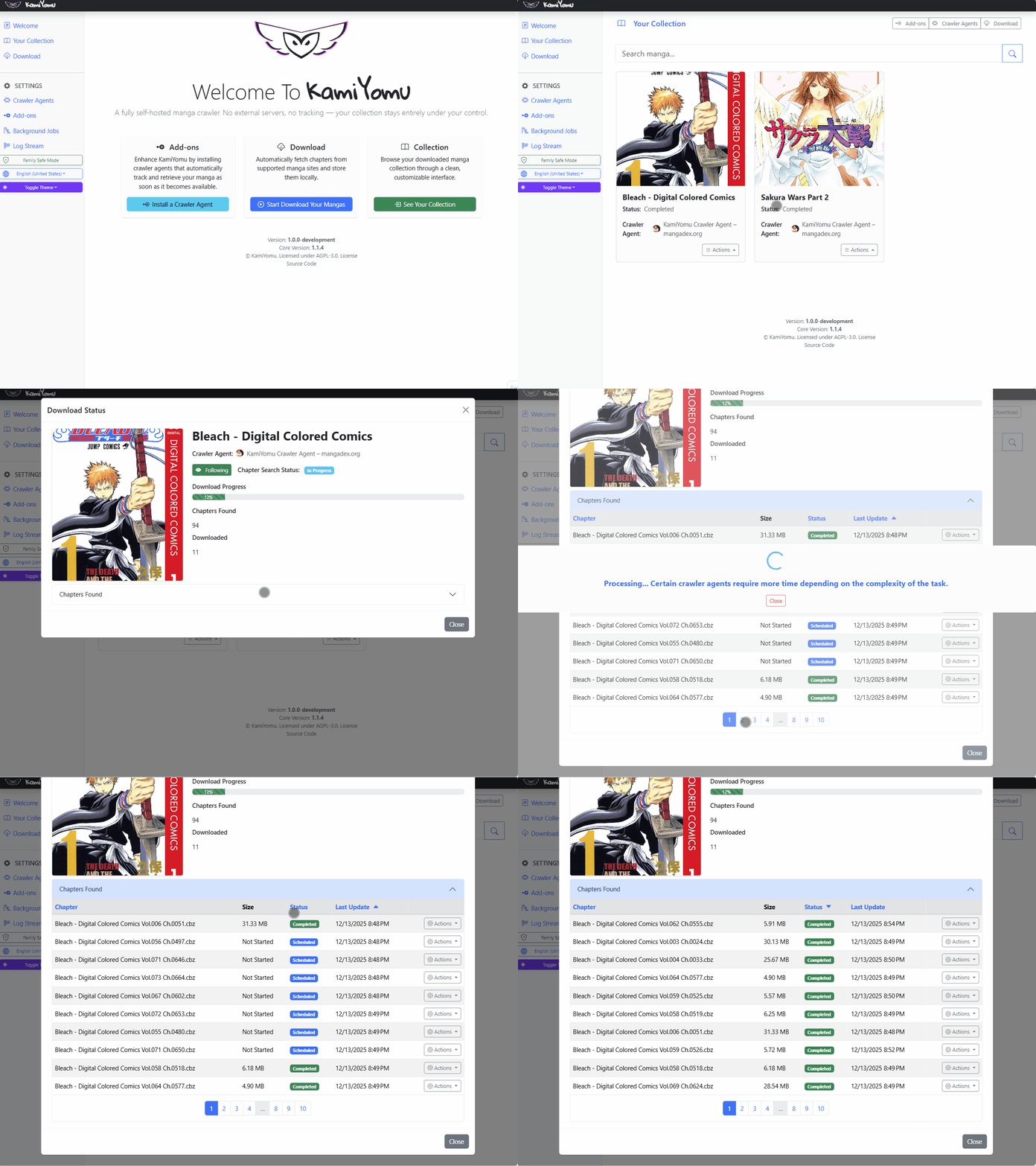
See your PDF/Zip files
- Open “Chapters Found” table click on it
- Click on Actions
- If download of chapters has been completed, you can download it in different formats
- Zip
- CBZ (Which is a zip file)
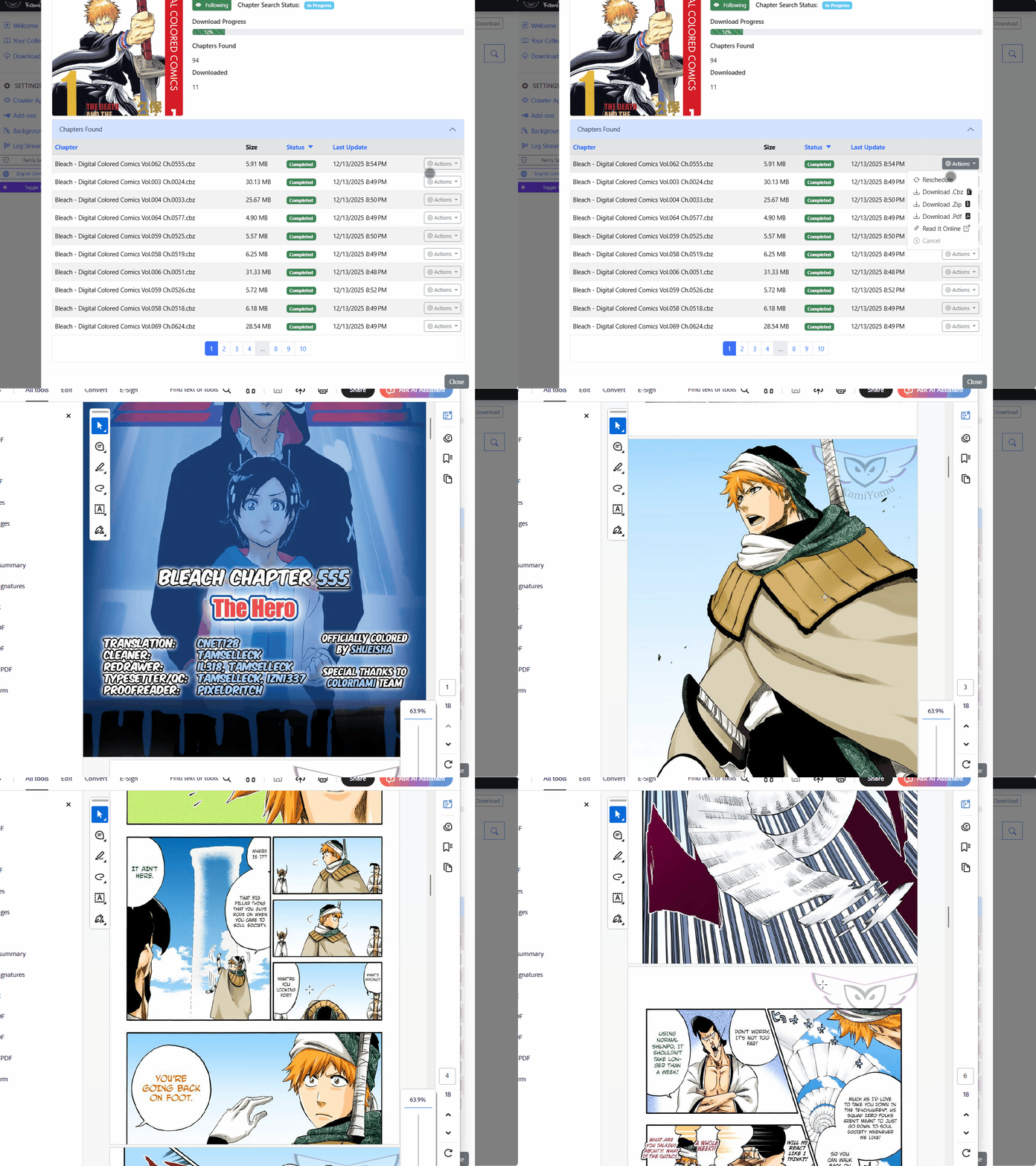
📚 What is a Manga File (The .cbz Format)?
A manga file, typically carrying the .cbz extension, is the standard format used by digital comic and manga readers like Kavita.
Structure and Contents
A .cbz file is simply a ZIP archive that has been renamed. Inside this archive, you will find:
- Ordered Image Files: Individual image files (e.g.,
.jpg,.png) representing the pages of a single chapter, named sequentially (e.g.,001.jpg,002.jpg). - Metadata (
ComicInfo.xml): A crucial XML file that contains structured information about the file, such as the series title, chapter number, author, publisher, and summary. This metadata allows Kavita to correctly organize and display the content. - Cover Image (Optional): Often, a dedicated
cover.pngorcover.jpgfile is included, though Kavita can usually generate a cover from the first page image.
Organization for Readers
For applications like Kavita or Komga to recognize and correctly group your library, manga files must follow a strict folder hierarchy:
[Manga Title] / [Volume Number] / [Chapter File].cbz
For example:
Hunter x Hunter / Volume 3 / Hunter x Hunter - c031.cbz
This organizational structure allows the reader application to sort and present your collection correctly by series, volume, and chapter.
Viewing Download Chapter Progress
Each manga download has a status for both chapters and the overall manga.
Download Status for Manga
| Status | Meaning |
|---|---|
| To Be Rescheduled | The manga is waiting to be scheduled. |
| Scheduled | The manga download is scheduled and will start soon. |
| In Progress | The manga is fetching all chapters from the source. |
| Completed | The manga has finished fetching chapters. |
| Canceled | The download was canceled by the user or due to reaching the maximum retry limit (10 by default). |
Download Status for Chapters
| Status | Meaning |
|---|---|
| To Be Rescheduled | The chapter is waiting to be scheduled. |
| Scheduled | The chapter download is scheduled and will start soon. |
| In Progress | The chapter is being downloaded from the source. |
| Completed | The chapter download has been completed. |
| Canceled | The chapter download was canceled by the user or due to reaching the maximum retry limit (10 by default). |